

Skip to content
AFP DIGITAL

Visitor Management System

Creating a great impression
Visitor Management System
returning-visitor

Visitor welcome

contractor

Contractor management

outsourcing

Employee management

evacuation-plan

Fire register & evacuation

Providing a hassle-free, easy, and efficient sign-in and reception experience

Putting People First

Safety and compliance should be a priority for every organisation.

And there’s so much more… let’s chat about your needs

Key Features


welcome
Visitor Welcome
  • Personalise the welcome screen
  • Visitor pre-registration with QR Code for extra touchless speed
  • Auto remember returning visitors

visitormanagement
Visitor Management
  • Touch or contactless sign-in/out
  • Display health and safety notices
  • Obtain signatures for data retention policy and legal (GDPR) compliance
systemintegration
System Integrations
  • Integrates with outlook meeting invitations to pre register visitors
  • Send visitors meeting details

photo
Photo Capture
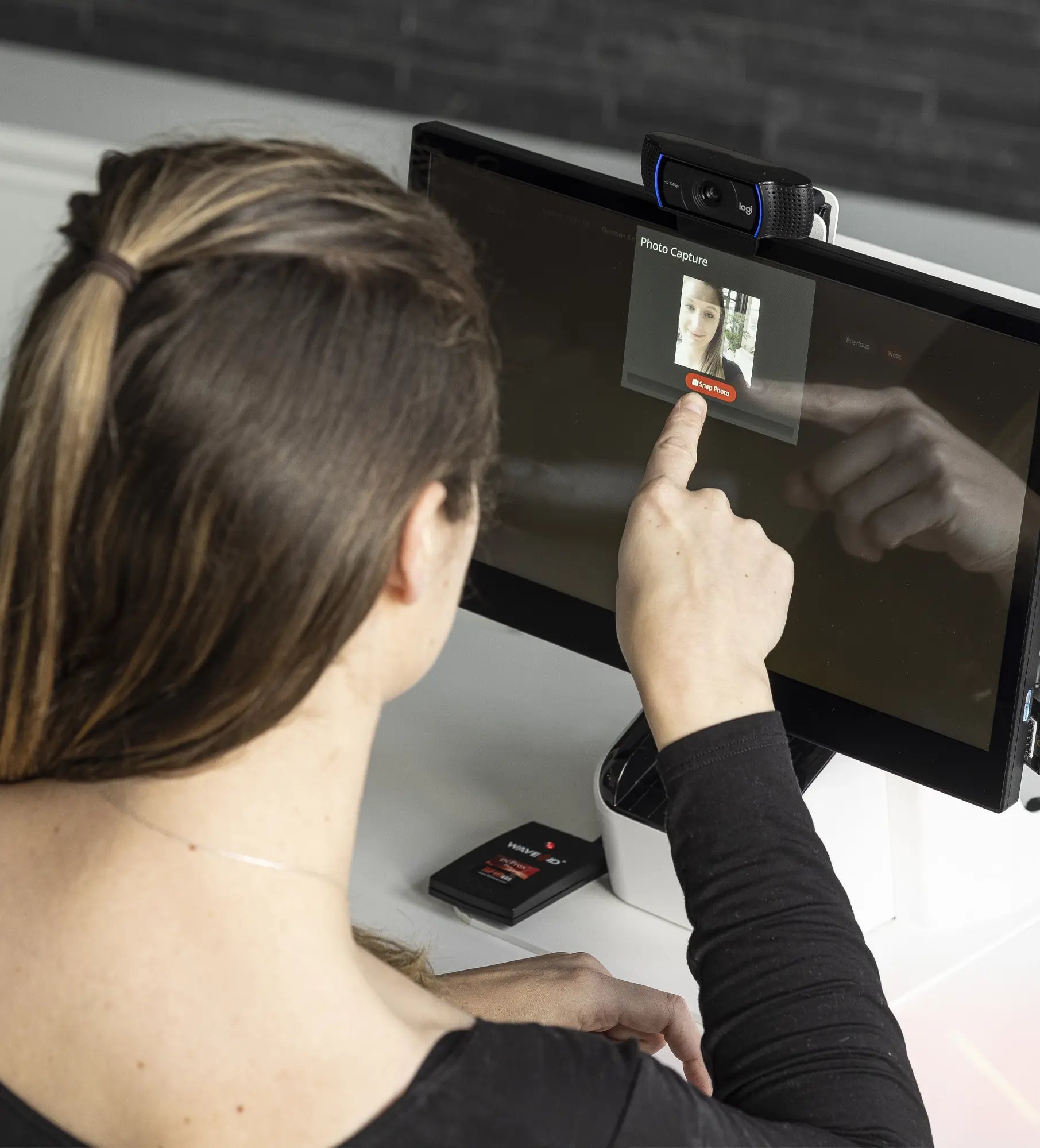
  • OVM takes a photo of the visitor for their ID badge pass
  • Ensures security and safety of staff members and visitors
mobile
Notifications 
  • Alerts, messages or email/SMS notifications for visitor arrival and security
  • Watchlist can triggers alerts when certain people sign-in
deliveries
Deliveries
  • Courier drop-off
  • Notifications of delivery arrivals
badge
Badge Printing
  • Visitors can print their own name badges upon sign-in
  • Simple and efficient registration
  • Photo ID for easy identification
fire
Fire Register and Evacuation
  • Emergency register, notification & mustering
  • Run post-evacuation reports to evaluate efficiency of evacuation
reporting
Reporting and Dashboards
  • Standard reports for visitor insight
  • Easily capture visitor, employee and contractor data
BRANDING
Branding
  • Add your logo to the home screen and create a great first impression
  • Cycle multiple rolling images
mobilephoneapp
Mobile Apps
  • Set up zones with geo-fencing to automatically sign staff in and out
  • Apps let you monitor who is on-site directly from your smartphone
asset
Asset Management
  • Makes it easy for organisations to manage an inventory of assets
  • Create groups, managers, and run reports on historical asset movement
Reporting and Dashboards


Optimised Visitor Management provides you with powerful insights, letting you improve workplace safety and security

Generate reports and insights


The software that powers Optimised Visitor Management is smart and simple. Whether you’re a health and safety professional, or want to implement better security practices, OVM can generate reports to provide you with valuable insights, giving you the tools to make data-driven decisions for your visitors, people, and business.

Reports can be created on custom questionnaires, acknowledgement notices, panic alarms and evacuations, notification summaries, deliveries, geolocation and people presence data, showing you trends and suggesting actions.

visitor management dashboard

Clearly presented


Report insights are useful, but even more so when they’re presented visually. A dashboard is an easy to read real-time summary of information on your desktop or Sharp Digital Signage Display that can present important people presence data at a given location.

So, it doesn’t matter whether you want to highlight important notices, visitors due on-site, display sign-in dates, times, or visitor, contractor or employee names, OVM improves facility safety and security by giving you greater visibility of who is on-site.

visitor management

A solution for any environment


Optimised Visitor Management – Kiosk


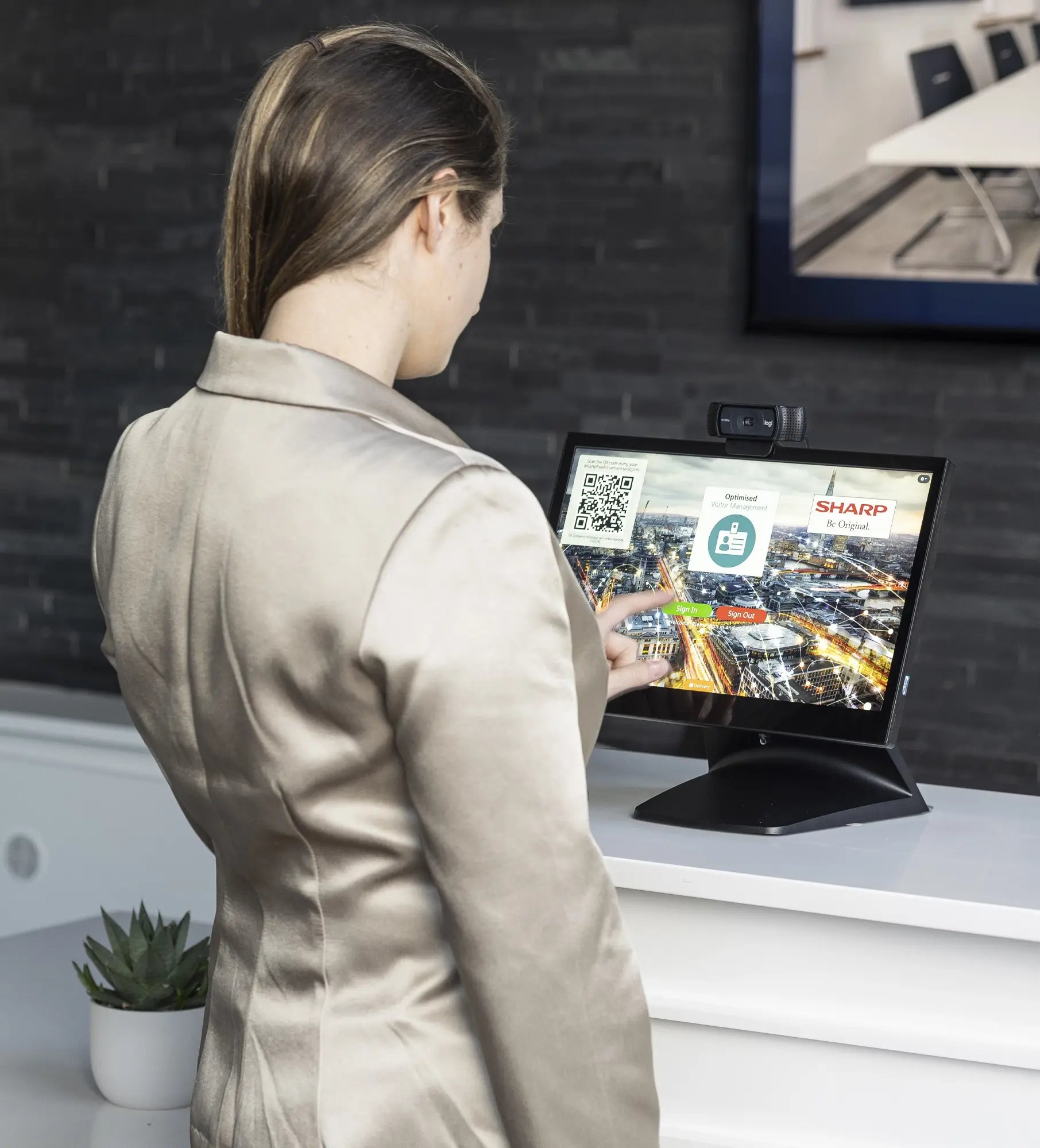
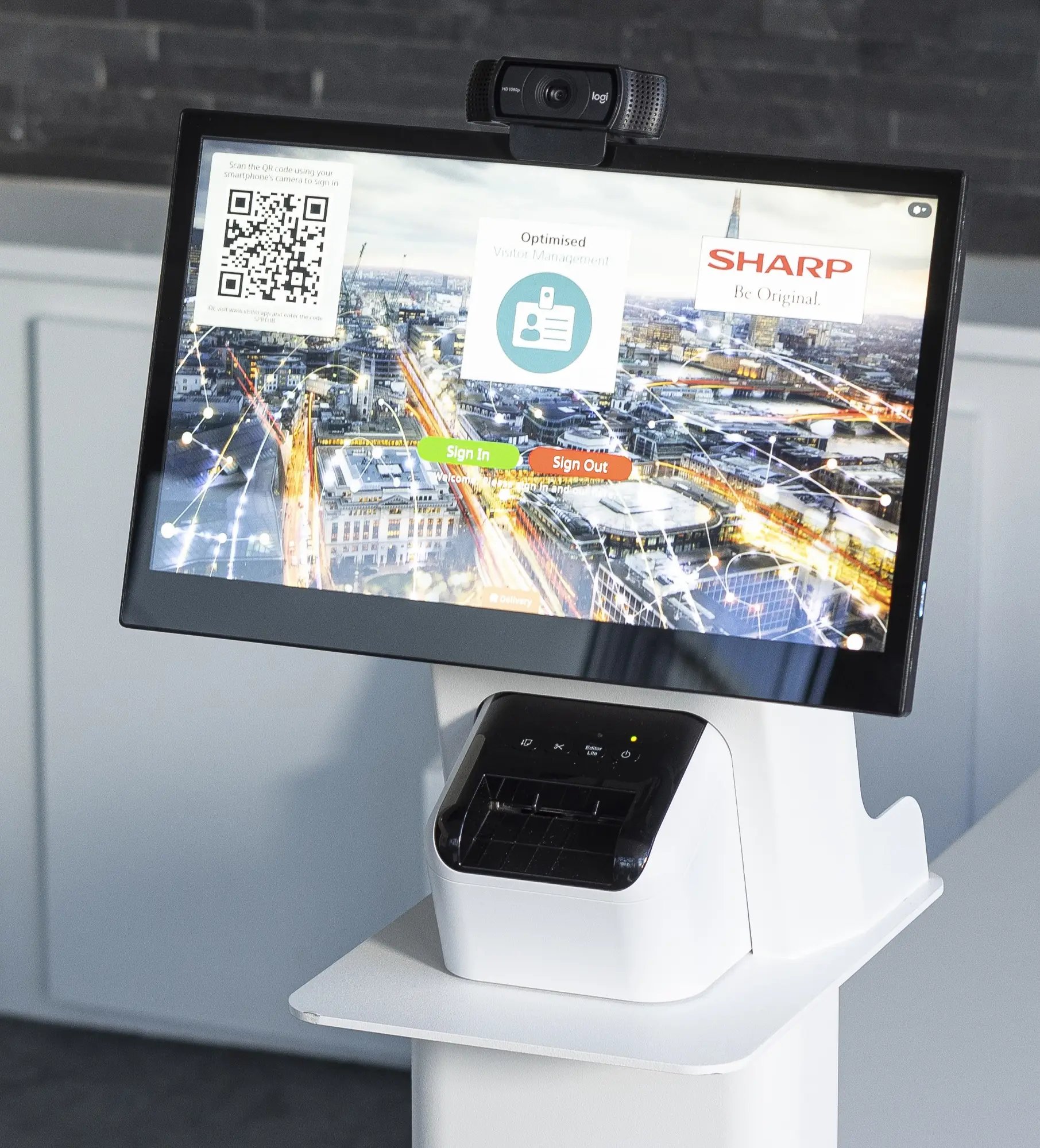
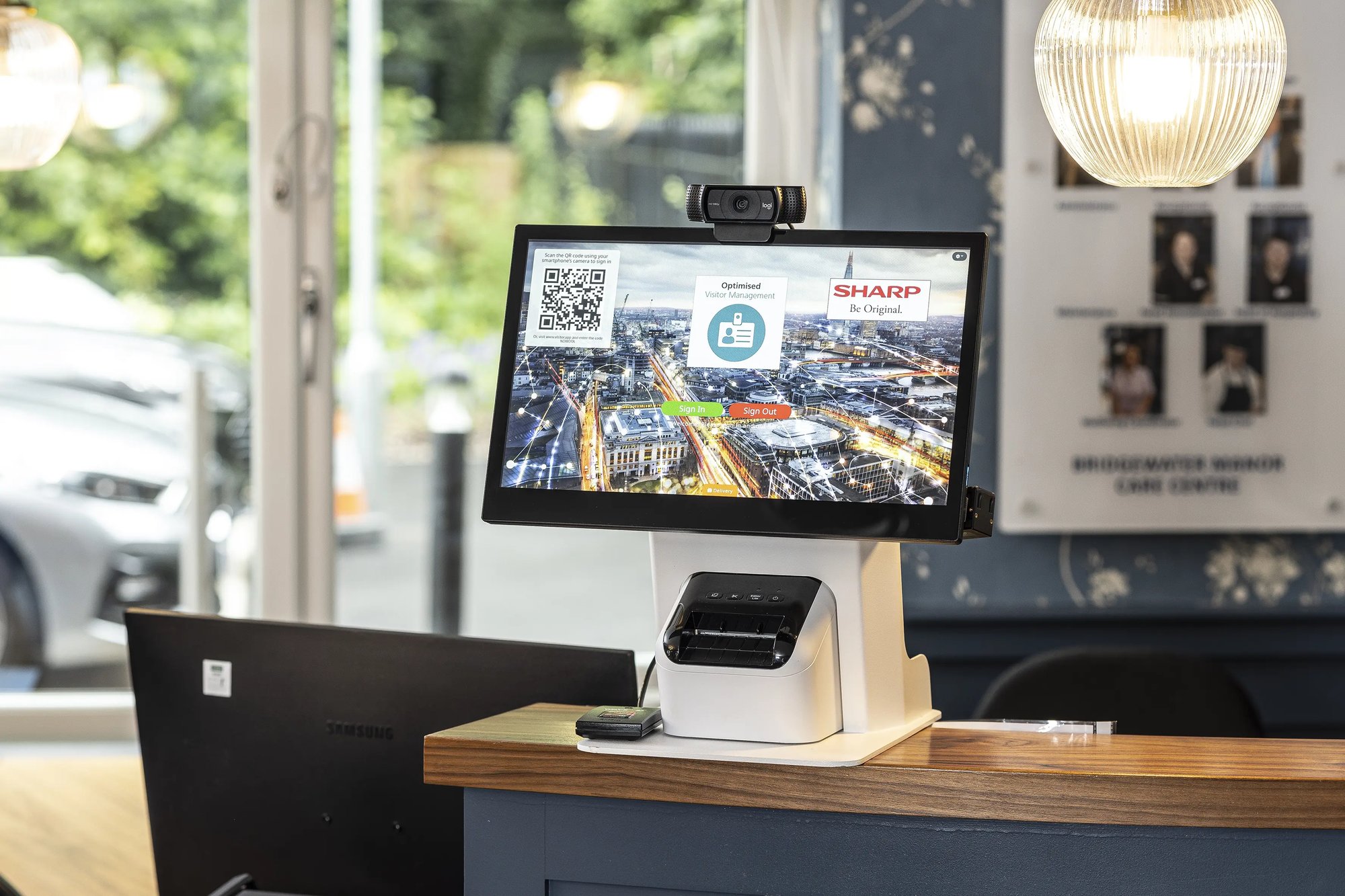
This main kiosk offers a 15” touchscreen display and sits comfortably on a reception desk. The addition of the compact dedicated printer makes it easy for visitors to print their own ID badges. If a badge printer isn’t required, a blanking plate neatly covers the printer cavity.

  • 15” PCAP LCD touchscreen display
  • Webcam as standard for capturing visitor photo
  • Optional badge printer/blanking plate
  • Optional QR/bar code scanner
  • Optional card and fob reader
kisok

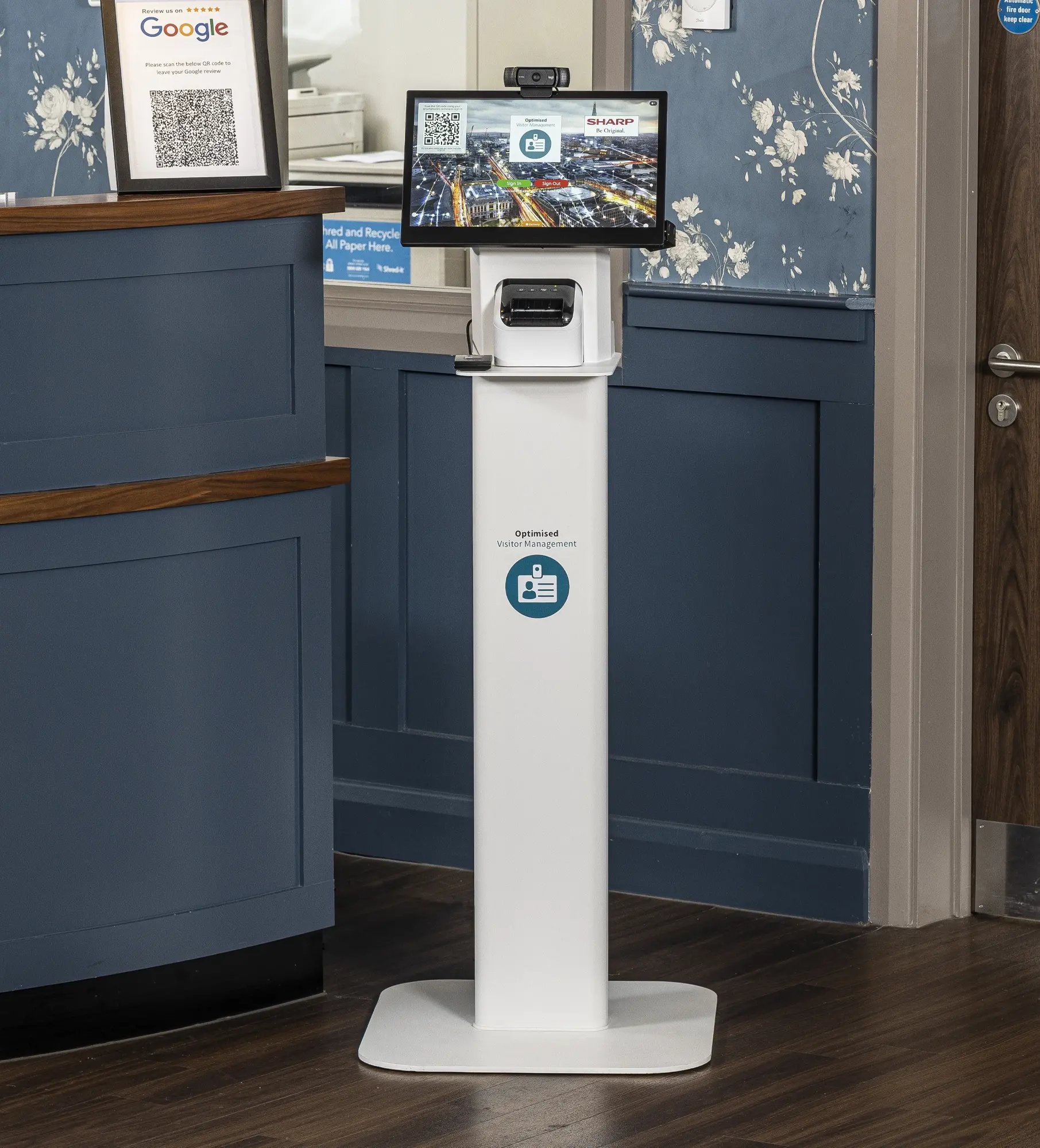
Floor Stand or Wall Bracket


With either the Floor Stand or Wall Bracket, you can choose an option that best suites your needs.

  • Wall mounted bracket to securely fix OVM kiosk to a wall
  • Floor Stand can be safely secured to a wall or to the floor
  • Kiosk must be purchased separately
floor stand

FastScan


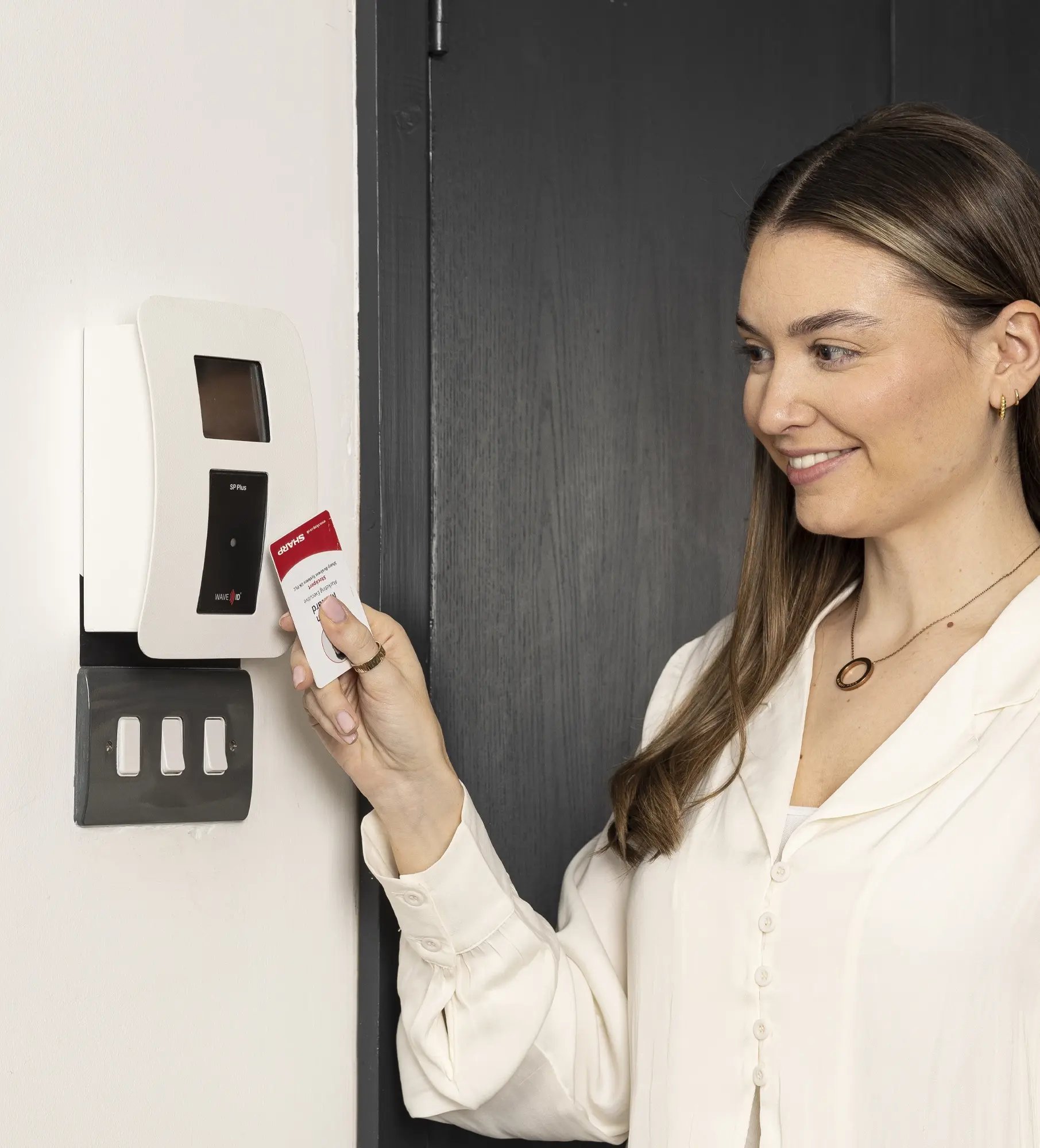
The small wall-mounted FastScan card reader and display provide quick and easy sign in and out for staff, making it perfect for a second, side, or warehouse entrance.

  • 2.8” display
  • Power over Ethernet (PoE)
  • RF IDeas WAVEVID Smart Card Reader
  • Works in conjunction with the 15” kiosk (sold separately)
Fast scan

Would you like to learn more? Let's chat!

Fill out the form to get in touch and one of our team will get back to you as soon as possible!

Alternatively you can call us on: 01924 201 737